المتابعون

الأحد، 13 مارس 2011

ما هي متطلبات فني تصميم داخلي؟.

ما هي متطلبات فني تصميم داخلي؟.
حسب التطورات الجديده في عالم الحاسب الآلي اليوم يتطلب على فني تصميم داخلي على الخبرات
التالية:-
1-   الرسم باستخدام نظام الأوتوكاد (بشقية الثنائي وثلاثي الابعاد).
2-   الخبره الجيده على استخدام 3 دي ماكس (لعمل التلوين والاضاءه وكذلك التظليل للرسم ثلاثي الابعاد)
3-   الخبره الجيده لعمل الرتوش والاخراج النهائي باستخدام الفوتوشب.
4-   وبعد ذلك يكون لدية الخبره الجيده لعمل مقاطع فيديو لهذه الرسوم بستخدام برنامج الفلاش.
وهناك نظم اخرى كثيرة مساعده ولكن هذه البرامج من اهم البرامج التي يجب ان يقطيها أي فتي يريد ان يكون متخصص في التصميم الداخلي.


Learn AutoCAD By video Tutorials for free

Over 8 hours of free high quality video based Cad training that walk you through the program in easy to follow stages.
A Cad training video that focuses on real life examples and teaches you the skills required to work in a commercial environment. These tutorials are structured to increase not only your skills but also your earning potential.
Within days you will be able to.
Use AutoCAD in a working environment and to a professional standard.


AutoCAD is a CAD (Computer Aided Design) software for 2D and 3D design and drafting, developed and sold by Autodesk, Inc. Initially released in late 1982, AutoCAD is one of the first CAD programs to run on computers personal, including the IBM PC. Most CAD software on both graphics terminals connected to mainframe computers or mini-computers.

In earlier releases, AutoCAD used primitive entities - such as lines, polylines, circles, arcs, and text - as a foundation for more complex objects. Since the mid-1990s, AutoCAD has supported custom objects through its C + + API. Modern AutoCAD includes a full set of basic 3D modeling tools, but it lacks some more advanced capabilities for modeling applications [citation needed]. With the release of AutoCAD 2007 is coming to improve the functionality of 3D modeling, which means a better navigation when you work in 3D. In addition, it has become easier to edit 3D models. Mental ray was included in the renderer, it is now possible to make high-quality renderings.

AutoCAD supports a number of application programming interfaces (APIs) for customization and automation. These include AutoLISP, Visual LISP, VBA,. NET and ObjectARX. ObjectARX is a C + + class library, which is also the base for products extending AutoCAD functionality to specific fields, to create products such as AutoCAD Architecture, AutoCAD Electrical, AutoCAD Civil 3D, or third-party applications based on AutoCAD.

AutoCAD native file format, DWG, and to a lesser extent, the format of the paging file, DXF, have become de facto standards for CAD data interoperability. AutoCAD in recent years has included support for DWF, a format developed and promoted by Autodesk for publishing CAD data. In 2006, Autodesk has estimated the number of DWG files to more than one billion. In the past, Autodesk has estimated the total number of DWG files in existence for more than three billion dollars.

AutoCAD currently runs exclusively on Microsoft Windows desktop operating systems. Versions for Unix and Mac OS were released in the years 1980 and 1990, but they were subsequently abandoned. AutoCAD can run on an emulator or compatibility layer like VMware Workstation or wine, although subject to various performance issues that may arise when one works with 3D objects or large drawings.

AutoCAD and AutoCAD LT are available in German, French, Italian, Spanish, Japanese, Korean, Simplified Chinese (No LT), Traditional Chinese, Russian, Czech, Polish, Hungarian (No LT), Brazilian Portuguese (No LT ), Danish, Dutch, Swedish, Finnish, Norwegian and Vietnamese. The extent of localization varies from a full translation of product documentation only.

AutoCAD LTD

AutoCAD LT is a version of AutoCAD with more limited capabilities. It costs less (approx. US$1200 versus around US$4,000 for the full AutoCAD). Besides being sold directly by Autodesk, it is also available for purchase at computer stores, unlike full AutoCAD which has to be purchased from an official Autodesk dealer. It was developed so Autodesk could have an entry-level CAD package available to compete in that price class. AutoCAD LT is marketed as a CAD package for those who only need 2D functionality.
Compared to the full edition of AutoCAD, AutoCAD LT lacks several features: most notably, it has no 3D modeling capabilities (although it has a full suite of 3D viewing functions for looking at 3D models created in other CAD packages) and does not include any programming interfaces, such as support for most third party programs and does not support AutoLISP programs. A full listing of differences is on the Autodesk website.[citation needed] AutoCAD LT originated by taking the codebase of AutoCAD and commenting out substantial portions,[citation needed] which allowed AutoCAD and AutoCAD LT to be developed simultaneously.

AutoCAD Student Versions

AutoCAD is licensed at a significant discount on the retail pricing for qualifying students and teachers, with two of 14 months and available under license. The student version of AutoCAD is functionally identical to the full retail version, with one exception: DWG files created or modified by a student have an internal bit-indicator (the "educational flag"). When such a DWG file is printed by any version of AutoCAD (commercial or student), the output will include a field buffer / banner on all four sides. The objects created in the version for students can not be used for a commercial use. These objects can student version and "infect" a commercial version if the import of DWG files.

The Autodesk student community provides students with free access to Autodesk applications. If AutoCAD is not available in standalone downloadable application, students have access to some other applications, including AutoCAD, such as Civil3D or AutoCAD Architecture.

رفع المقاسات

رفع المقاسات
لاخذ قياسات أي مسطح بشكل كامل ودقيق قدر الإمكان عند عمل تخطيط لتأثيث أي لاندسكيب أبدء بالاتي:-

1-    الخطوة الأولى : خذ القياسات من الأرضية الى السقف، وأيضا المسافة الفاصلة بين الجدران والمسافة من الزوية الى البواب. كذلك فم بتسجيل أي شيء مركب بشكل بارز في الغرفة، مثل المدفأة، الأنابيب، شفاط الهواء زوايا خاصة وأي تفاصيل هندسية أخرى ذات شأن.

2-     الخطوة الثانية : قم بأخذ قياسات الأبواب والنوافذ وكذلك ارتفاع وبعد كل منها عن الأرضية والسقف وأطراف الجدران. لكي تتبين المسافة التي تحتاجها للأبواب والنوافذ كي تفتح اذا كنت تخطط لوضع خزانات سفل النوافذ، تذكر ان المسافة الأدنى التي تفصل إطار النافذة عن الأرضية يجب ان تكو 90سم على الأقل، ويفضل ان تكون 105سم.

3-    الخطوة الثالثة : سجل مواقع المكابس الكهربائية الحالية، ومفاتيح الكهرباء، وتوصيلات الماء والغاز، تذكر ان هذه الأسياء قد تنقل لمكان اخر لكي تلائم التصميمات الجديده لهذا الموقع، ضع علامات تبين الموقع التقريبية التي تود ان تضعها لهذه المكابس والمفاتيح والتوصيلات في التصميم الجديد.

الاثنين، 7 مارس 2011

الأوتوكاد ومنتجاته - أنواع الاوتوكاد واستخدامات كل منها - ما الإصدار الذي تستخدمه؟


حقيقة ان برنامج الاوتوكاد وما تفعله الشركة يجعل المستخدم في حيرة بين الاصدارات المتعددة وتسمياتها, لذا قمت بتجميع وصف عن اصدارات او منتجات الشركة ان صح التعبير, لعل ذلك يساعد في الاجابة عن بعض التساؤلات لدي ولديك أيضاً.
كما يسعدني لو شاهدت اضافات في هذا المجال عن البرنامج ومميزات كل برنامج خاصة البرامج التي لها علاقة بالمعماريين ...

----------------

الاسم : AutoCAD معناه (Computer aided design) أي التصميم بمعونة الحاسوب .
أول نسخة : صدرت عام 1982.

لغة البرمجة المستعملة : (++Auto LISP (C .
أنواع النسخ : اوتوكاد لـ العمارة ، الهندسة الكهربائية ، الهندسة الميكانيكية ، الإنشائئية
ولكن المستعملة غالبا هي النسخة الحرة .
نظام التشغيل : Windows .
الشركة المنتجة : Autodesk الأميريكية .
عنوان الشركة : http://usa.autodesk.com


بوستر لبرنامج الاوتوكاد


- توجد من البرنامج نسخ لأكثر من 20 لغة . رغم ذلك لا توجد منها نسخة عربية !!.
- عدد مستخدمي البرنامج يقدر بـ 9 ملايين مستخدم في أكثر من 185 دولة حول العالم .


إصدارات الشركة:
تصدر شركة الأوتوديسك من البرنامج النسخة العامة, وهي الأكثر انتشاراً, ولكنها تصدر إصدارات متخصصة من البرنامج, كل إصدار يخص فئة من المستخدمين المهمين للبرنامج, منها:

ا- AutoCAD

Design and shape the world around you with the powerful, flexible features found in AutoCAD® design and documentation software, one of the world’s leading 2D and 3D CAD tools. Speed documentation, share ideas seamlessly, and explore ideas more intuitively in 3D. With thousands of available add-ons, AutoCAD design software provides the ultimate in flexibility, customized for your specific needs. It’s time to take design further. It’s time for AutoCAD.


أوتوكاد النسخة العامة


2- AutoCAD Architecture:
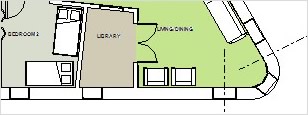
AutoCAD® Architecture software is the version of AutoCAD® software created for architects. AutoCAD Architecture supports a faster way of working. Purpose-built features for architectural drafting help you create designs and documents more efficiently, in the familiar AutoCAD software environment.

Autocad Architecture


Autocad Architecture


3- AutoCAD LT:

AutoCAD LT® 2D drafting and detailing software is the professional choice, because it boosts your productivity with tools for creating precise technical 2D drawings.
Document. Accurately document your ideas and designs with a comprehensive set of 2D drafting and detailing tools.
Collaborate. Create in the genuine DWG™ file format to share your work seamlessly with colleagues and clients.
Optimize. With menu and user interface options, AutoCAD LT 2D drafting software works the way you work.


Autocad LT


AutoCAD LT


4- AutoCAD Civil 3D:

AutoCAD® Civil 3D® software, the building information modeling (BIM) solution for civil engineering, helps project teams deliver higher-quality transportation, land development, and environmental projects faster. Explore design ideas and analyze what-if scenarios to help optimize performance before projects are built. Extend Civil 3D model data to perform geospatial and stormwater analysis, generate quantity takeoffs, and support automated machine guidance during construction. Civil 3D provides the BIM advantage and tools you need to deliver more innovative design solutions.

Autocad Civil 3D


5- Autodesk Revit Architecture:
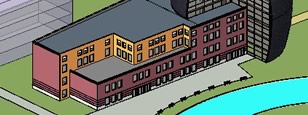
Purpose-built for building information modeling (BIM), Autodesk® Revit® Architecture building design software helps architects and designers capture and analyze early concepts, and then better maintain designs through documentation and construction. Enjoy a more collaborative, integrated building design process by sharing essential BIM data with your partners, and use BIM workflows to help drive more efficient sustainable design analysis, clash detection, construction planning, and material fabrication.

Revit Architecture


Revit Architecture


6- AutoCAD Map 3D:
AutoCAD® Map 3D mapping software provides access to data needed for infrastructure planning, design, and management activities. It helps professionals working on transportation, land development, water, and power projects to more easily aggregate cadastral, utility, topographic, environmental, image, LIDAR, and asset data; better visualize and evaluate existing conditions; improve decision making by performing corridor, network, and site analysis; and exchange information with government agencies, utilities, and contractors in both CAD and GIS data formats.


Autocad Map 3D


وهناك منتجات أخرى من الشركة منها:
-AutoCAD Electrical
- AutoCAD Mechanical
-AutoCAD Structural Detailing
-Autodesk 3ds Max Products
-Autodesk Maya
والقائمة تطول …!!
——-
ملاحظات:
- تنوع المنتجات ووجود اختلافات بسيطة بين منتج واخر يكون في اضافة ادوات اضافية على البرنامج ولكن الاساس والهيكل الاساسي متشابه في جميع الإصدارات.
- يجب على المستخدم اختيار البرنامج الذي يناسب عمله وأن لا يجهد نفسه في تعلم كل الاصدارات.
- تقوم الشركة بشراء شركات أخرى من باب تكامل العمل, مثل شركة الماكس والمايا وغيرها. وتضم الشركة اكثر برامج الرسم والاخراج انتشاراً ان لم تكن الاكثر.
- وجود اكثر من منتج باحتلاف ادوات بسيطة يعكس سياسة الشركة في الحصول على اكبر قدر من المستخدمين, ولكن ذلك فيه تشتيت للمستخدمين انفسهم, وخاصة ان الكثير من المستخدمين يجهلون أنواع واصدارات ومنتجات الشركة او الفرق فيما بينها.

ما هي استخدامات الاوتوكاد‏

أوتوكاد AutoCAD
هو برنامج تصميم باستخدام الحاسب لتصميمات ثنائية و ثلاثية الأبعاد أصدرته
الشركة الأميركية أوتوديسك Autodesk .صدرت أول نسخة منه عام 1980 تحت اسم
منتج كاد CAD التي تعني التصميم بمعونة الحاسب Computer-aided design (إن
جاز التعبير). يستخدم في أي من مجالات التصميم هندسة المدنية ، العمارة ،
الهندسة الميكانيكية ، والتصميم الداخلي ، يستخدم لانشاء كافة تصاميم
المشاريع و مشاهدتها كما تكون في الحقيقة ، يمكن من خلال ملحقاته كبرنامج
الإخراج Render اجراء بعض التجارب على التصميم مثل اختيار الالوان و
الاضواء و معاينة المساحات في المجال المعماري ، أيضا يمكن لبعض ملحقاته
عمل التصميمات الميكانيكية و اجراء بعض الاختبارات عليها.يستخدم برنامج
الأوتوكاد اللاحقة dwg المشتقة من كلمة Drawings التي تعني رسومات ويستطيع
تبادل الملفات مع برامج التصميم الآخرى كـ Bentley AutoPLANT و COADE
CADWORX ويمكن تصدير ملفاته إلى برنامج 3D studio max ثري ستديو ماكس
لإخراجها بواسطة هذا الأخير. ويعتمد أيضا تنسيق dxf لتبادل الملفات مع
البرامج الآخرى. يحتوي الأوتوكاد على لغة البرمجة أوتوليسب AutoLISP كما
Visual LISP, VBA, .NET و ObjectARX. وهذه الأخيرة هي ++C كما يستطيع
مستخدم الأوتوكاد إضافة برامج ملحقة باللغات آنفة الذكر. كما تصدر الشركة
المصنعة نسخا اختصاصية مثل الأوتوكاد المعماري Autodesk Architectural
Desktop و AutoCAD Electrical للهندسة الكهربائية. كما أيضا لكافة
الإختصاصات AutoCAD-based applications ... يعمل الأوتوكاد في ظل الويندوز
كما الماكينتوش و اليونكس. ومع التطور تم تصنيف الأتوكاد على عدة اقسام
مساعده أو منفصله فمثلا تم طرح اتوكاد للعماره واخر للهندسه الميكانيه و
الهندسه الكهربائيه لكن معظم العاملين على هذا البرنامج يفضل النسخه الحره
بدون تصنيف فمثلا يوجد نسخة autocad 2008 كما يوجد نسخة autocad mechanical
حسب حاجة المستخدم لهذا البرنامج

السبت، 5 مارس 2011

كتاب شرح الأوتوكاد باللغة العربية Auto CAD Explained in Arabic

السلام عليكم


اليكم كتاب لشرح اساسيات الاوتوكاد وبالتفصيل الملل
باللغه العربيه
للتحميل

http://www.up.engineering-portal.com//view.php?file=2262754d67

دروس في الأوتوكاد 2011 فيديو عربى


السلام عليكم ورحمة الله وبركاته ....... نقدم لكم الدوره الاولى من نوعها لشرح برنامج
AutoCAD Architecture 2011
للمهندس محمود القحطان وهذا البرنامج هو
الخيار الأمثل للمهندس المعماري. يعمل بنفس بيئة الأتوكاد العادي لذا يحوي جميع الأوامر والخصائص التي تميِّز الأتوكاد العادي ولكنَّهُ أسرع وأقوى في إنجاز الأعمال المعمارية. فبكلِّ سهولةٍ يُمكننا من عملِ الجدرانِ والارتفاعاتِ والمناسيبِ والأبوابِ والنَّوافذِ… إلخ، بسهولةٍ تامَّة وسرعةٍ ...عالية. هذا البرنامج يوفِّر الجهد والوقت
ويمكنكم الوصول الى الدروس الخاصه بهذه الدوره من خلال هذه الروابط

الدَّرس الأول من دورة الأتوكاد المعماري 2011، تنصيب البرنامج
------------------------
من هنا

الدَّرس الثَّاني من دورة الأتوكاد المعماري 2011، واجهة المُستخدم
-------------------------
من هنا

Lesson 3 :Project Browser & Project Navigator
-------------------------
من هنا

Lesson 4 : Creating G.F. Add Walls
------------------------
من هنا

Lesson 5 : Justify- Cleanup- Modify Walls
------------------------
من هنا

Lesson 6: Doors& Windows
------------------------
من هنا

Lesson 7: Creating & Modifying Slabs
-----------------------
من هنا

Lesson 8 : Stairs & Custom Shapes
-----------------------
من هنا

الدرس التاسع : كيفية استخراج المنظور من المساقط
------------------------
من هنا

الدرس العاشر : كيفية إنشاء المحاور وإضافة الأعمدة
------------------------
من هنا

الدرس الحادى عشر :طريقة إنشاء الواجهات والقطاعات
------------------------------
من هنا

Lesson 12 : Spaces
--------------
من هنا

Lesson 13 : Roof & Roof Slab
------------------------
من هنا

Lesson 14 : Curtain Wall
-------------------------
من هنا

الدرس الخامس عشر : خطوط الكنتور
---------------------------
من هنا

Lesson 16 : Dimension & Scale List
-------------------------
من هنا